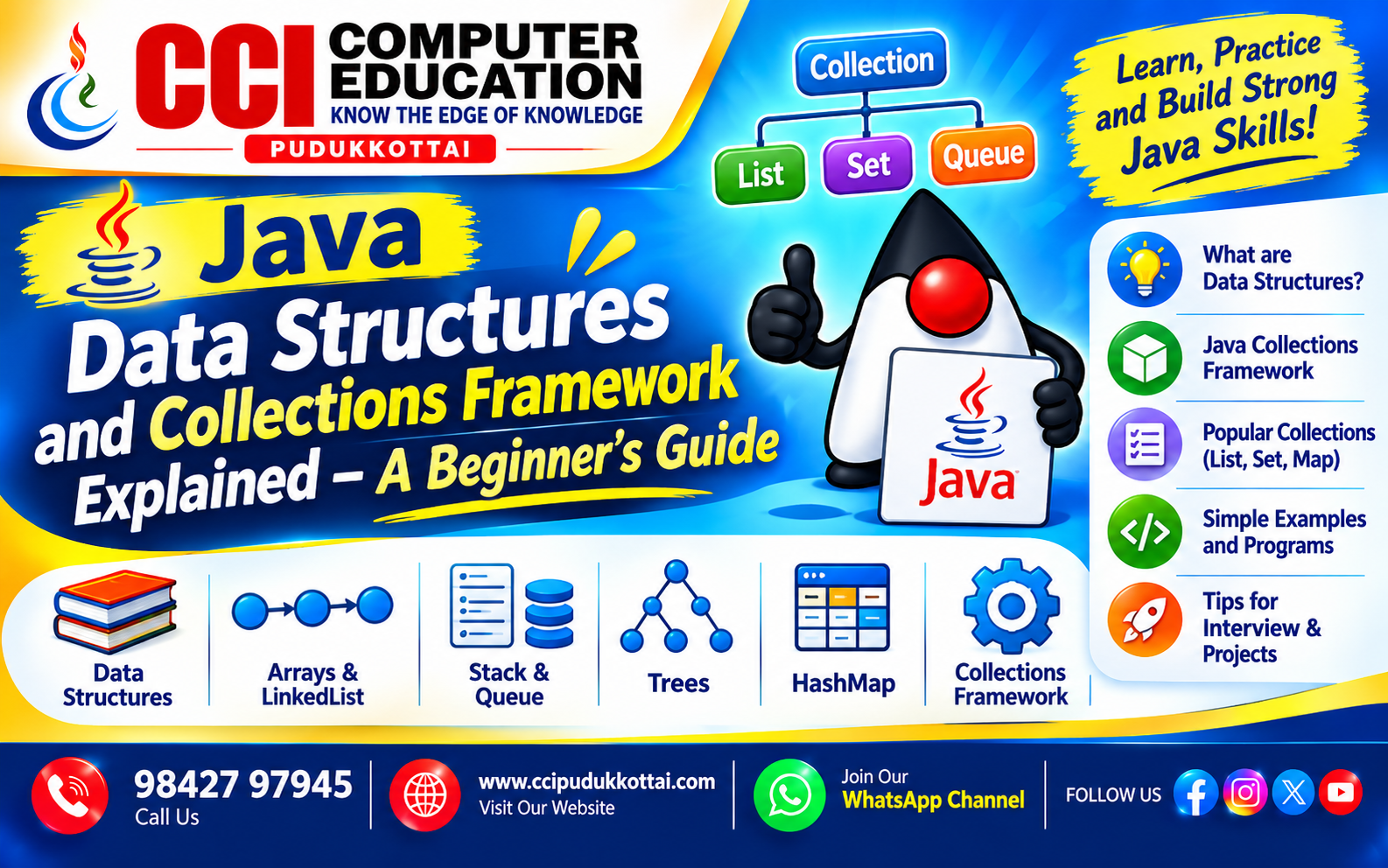
Java Data Structures and Collections Framework Explained – A Beginner’s Guide
Published: 04 Nov, 2026 | Author: CCI Admin | Category: Java / Programming
Data is an important part of every software application. Whether we are building a student management system, an online shopping website, or a banking application, we need a way to store and manage data efficiently.
Java provides different data structures and the Collections Framework to help developers organize, access, search, and update data. In this blog, let us explore Java data structures and collections with simple examples.
1. What Is a Data Structure?
A data structure is a way of organizing and storing data so that it can be used efficiently in a program.
Common data structures include:
- Arrays
- Lists
- Stacks
- Queues
- Sets
- Maps
Each data structure has its own characteristics. Choosing the right one depends on how the application needs to store, retrieve, and modify data.
2. What Is the Java Collections Framework?
The Java Collections Framework is a set of interfaces, classes, and algorithms provided by Java to work with groups of objects.
It helps developers manage collections without creating every data structure from scratch.
The framework includes:
- Interfaces: Define the operations collections can perform.
- Classes: Provide implementations of collection interfaces.
- Algorithms: Provide useful operations such as sorting and searching.
3. Collection and Collections – What Is the Difference?
| Collection | Collections |
|---|---|
| An interface in the Java Collections Framework. | A utility class containing static methods. |
| Represents a group of objects. | Provides operations such as sorting and reversing. |
Collection<String> |
Collections.sort(list) |
4. Main Interfaces in the Collections Framework
| Interface | Purpose | Common Implementation |
|---|---|---|
| List | Maintains order and allows duplicates. | ArrayList, LinkedList |
| Set | Stores unique elements. | HashSet, TreeSet |
| Queue | Holds elements for processing, often in FIFO order. | LinkedList, PriorityQueue |
| Deque | Supports adding and removing elements at both ends. | ArrayDeque |
| Map | Stores key-value pairs with unique keys. | HashMap, TreeMap |
Note: Map is part of the Java Collections Framework, but it does
not extend the Collection interface.
5. Array – Store Multiple Values
An array stores a fixed number of elements of the same type. Array elements are accessed using indexes, starting from zero.
public class Main {
    public static void main(String[] args) {
        int[] marks = {85, 90, 78, 95};

        System.out.println(marks[0]);
        System.out.println(marks[2]);
    }
}
Output:
85
78
Arrays are useful when the number of elements is known and does not need to change.
6. ArrayList – A Dynamic List
An ArrayList is a resizable array implementation of the List interface. It can grow or shrink as elements are added or removed.
import java.util.ArrayList;

public class Main {
    public static void main(String[] args) {
        ArrayList<String> names = new ArrayList<>();

        names.add("Arun");
        names.add("Priya");
        names.add("Kumar");

        System.out.println(names);
        System.out.println(names.get(1));
    }
}
Output:
[Arun, Priya, Kumar]
Priya
ArrayList is commonly used when we need ordered data and frequent access by index.
7. LinkedList – Store Elements as Links
A LinkedList stores elements as nodes connected to one another. In Java, LinkedList implements both List and Deque.
import java.util.LinkedList;

public class Main {
    public static void main(String[] args) {
        LinkedList<String> tasks = new LinkedList<>();

        tasks.add("Learn Java");
        tasks.add("Practice Coding");
        tasks.add("Build Project");

        tasks.addFirst("Start Learning");

        System.out.println(tasks);
    }
}
Output:
[Start Learning, Learn Java, Practice Coding, Build Project]8. HashSet – Store Unique Elements
A HashSet stores unique elements. Adding a duplicate value does not create another element in the set.
import java.util.HashSet;

public class Main {
    public static void main(String[] args) {
        HashSet<String> courses = new HashSet<>();

        courses.add("Java");
        courses.add("Python");
        courses.add("Java");

        System.out.println(courses);
    }
}
The set contains only one occurrence of "Java". The display order is not guaranteed.
9. HashMap – Store Key-Value Pairs
A HashMap stores data as key-value pairs. Each key is unique, and a key can be used to retrieve its associated value.
import java.util.HashMap;

public class Main {
    public static void main(String[] args) {
        HashMap<Integer, String> students = new HashMap<>();

        students.put(101, "Arun");
        students.put(102, "Priya");
        students.put(103, "Kumar");

        System.out.println(students.get(102));
    }
}
Output:
PriyaHashMap is useful for storing information such as student IDs and student names.
10. Sorting a Collection
The Collections utility class provides methods to perform operations on collections.
The sort() method sorts a list in its natural order.
import java.util.ArrayList;
import java.util.Collections;

public class Main {
    public static void main(String[] args) {
        ArrayList<Integer> numbers = new ArrayList<>();

        numbers.add(40);
        numbers.add(10);
        numbers.add(30);
        numbers.add(20);

        Collections.sort(numbers);

        System.out.println(numbers);
    }
}
Output:
[10, 20, 30, 40]11. Array vs ArrayList
| Array | ArrayList |
|---|---|
| Fixed size after creation | Can resize dynamically |
| Can store primitive values directly | Stores objects; wrapper classes are used for primitive values |
| Uses index-based access | Provides methods such as add(), get(), and remove() |
12. Why Use the Java Collections Framework?
- Provides ready-made data structures.
- Reduces the need to write data-management code from scratch.
- Supports common operations such as adding, removing, and searching.
- Provides reusable interfaces and implementations.
- Helps developers select a suitable structure for their application.
13. Frequently Asked Questions (FAQ)
What is the Java Collections Framework?
It is a set of interfaces, classes, and algorithms for storing and managing groups of objects in Java.
What is the difference between List and Set?
A List maintains an ordered sequence and allows duplicates. A Set stores unique elements and does not allow duplicate values.
What is the difference between ArrayList and LinkedList?
ArrayList is based on a resizable array. LinkedList is based on linked nodes and also supports operations at both ends through the Deque interface.
What is a HashMap used for?
HashMap stores key-value pairs and allows values to be retrieved using their keys.
Can a Java collection store different data types?
Collections can store objects. Generics are commonly used to specify the type of elements a collection should contain.
14. Practice Tasks for Students
- Create an ArrayList to store five student names.
- Use a HashSet to store unique course names.
- Create a HashMap to store student IDs and names.
- Sort a list of numbers using Collections.sort().
- Compare ArrayList and LinkedList using a small program.
Conclusion
Java data structures and the Collections Framework are important concepts for every Java developer. Arrays, Lists, Sets, Queues, and Maps help organize data in different ways.
By understanding these structures and practicing with ArrayList, LinkedList, HashSet, and HashMap, beginners can develop a strong foundation for building Java applications.
At CCI Computer Education, students can strengthen their Java programming skills through practical examples, coding exercises, and projects.
Related CCI Blogs
- Introduction to Java Programming
- Java Variables and Data Types
- Java Classes and Objects
- Java Constructors Explained with Simple Examples
- Java Methods – Create Reusable Code with Simple Examples
Contact CCI Computer Education – Pudukkottai
Want to learn Java programming with practical examples? Contact CCI Computer Education to improve your programming skills.
Start Java Programming Click Here
Call: 98427 97945
Website:
ccipudukkottai.com
WhatsApp Channel:
Follow CCI on WhatsApp
CCI Computer Education – Learn Today, Build Tomorrow.