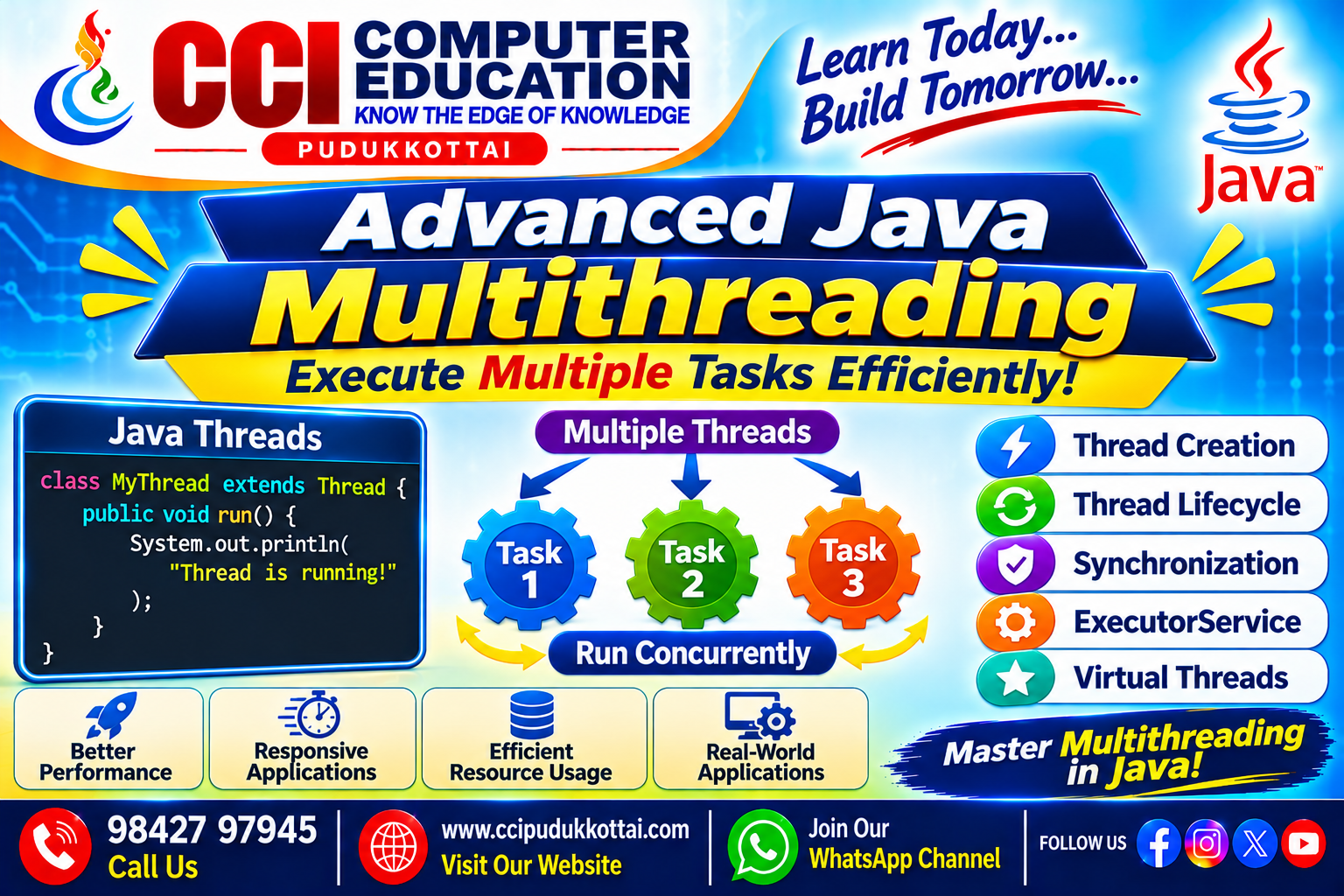
Multithreading in Java – Complete Guide with Practical Examples
Published: 21 November 2026 | Author: CCI Admin | Category:Java Programming
Have you ever wondered how a computer can play music, download files, and run multiple applications at the same time?
This is possible because of a programming concept called Multithreading. Java supports multithreading, allowing multiple threads to execute concurrently within a single program.
Multithreading is an important concept in Advanced Java and is widely used in web applications, banking systems, games, and real-time software.
In this blog, let's understand Java Multithreading, thread creation, thread lifecycle, synchronization, and practical Java programs with simple examples.
1. What is Multithreading in Java?
Multithreading is a Java programming concept that allows multiple threads to execute concurrently within a single application.
A thread is a lightweight unit of execution within a process. Each thread performs an individual task while sharing the resources of the same process.
Example:
- One thread plays music.
- Another thread downloads a file.
- Another thread displays notifications.
All these tasks can make progress concurrently without requiring separate applications.
2. What is a Thread in Java?
A thread is the smallest unit of execution scheduled by the operating system or Java runtime. Java provides built-in support for creating and managing threads.
Important Features of Threads:
- Threads share the memory and resources of their process.
- Each thread has its own execution stack.
- Threads can perform tasks concurrently.
- Multiple threads can improve application responsiveness.
- Threads require proper synchronization when accessing shared data.
3. Difference Between Process and Thread
| Process | Thread |
|---|---|
| A process is an executing program. | A thread is an execution unit within a process. |
| Processes have separate memory spaces. | Threads share process memory. |
| Process creation generally has higher overhead. | Thread creation generally has lower overhead. |
| Communication may require inter-process mechanisms. | Threads communicate through shared data. |
4. Advantages of Multithreading in Java
- Better Responsiveness: Applications can continue responding while background tasks execute.
- Resource Sharing: Threads can share memory and application resources.
- Concurrent Execution: Multiple tasks can make progress at the same time.
- Improved Performance: Suitable workloads can benefit from multiple processor cores.
- Efficient Applications: Useful for handling multiple independent tasks.
5. How to Create Threads in Java
Java provides two traditional approaches to create a thread:
- Extending the Thread class.
- Implementing the Runnable interface.
Method 1: Creating a Thread by Extending Thread Class
We can create a thread by extending the Thread class and overriding its run() method.
Example:
class MyThread extends Thread {

    public void run() {
        System.out.println("Thread is running");
    }

    public static void main(String[] args) {

        MyThread t1 = new MyThread();

        t1.start();
    }
}
Output:
Thread is running
Explanation:
- MyThread extends the Thread class.
- The run() method contains the thread task.
- The start() method starts a new thread and invokes its run() method.
Method 2: Creating a Thread Using Runnable Interface
Runnable is a functional interface that represents a task to be executed by a thread.
Example:
class MyTask implements Runnable {

    public void run() {
        System.out.println("Runnable thread is running");
    }

    public static void main(String[] args) {

        MyTask task = new MyTask();

        Thread t1 = new Thread(task);

        t1.start();
    }
}
Output:
Runnable thread is running
Explanation:
- MyTask implements the Runnable interface.
- The run() method defines the task.
- A Thread object is created using the Runnable object.
- The start() method begins execution on a new thread.
Which method is better? Implementing Runnable is generally preferred because your class can extend another class and keep task logic separate from thread management.
6. Java Thread Lifecycle
A thread passes through different states during its execution. Java defines these states through the Thread.State enumeration.
Six Thread States:
| State | Description |
|---|---|
| NEW | Thread is created but not started. |
| RUNNABLE | Thread is ready to run or executing. |
| BLOCKED | Thread is waiting to acquire a monitor lock. |
| WAITING | Thread waits indefinitely for another thread's action. |
| TIMED_WAITING | Thread waits for a specified period. |
| TERMINATED | Thread has completed execution. |
Important: The RUNNABLE state includes both ready-to-run and currently-running threads in Java's state model.
7. Important Thread Methods in Java
Java provides several methods to manage threads.
| Method | Purpose |
|---|---|
| start() | Starts a new thread. |
| run() | Contains the task executed by the thread. |
| sleep() | Pauses the current thread for a specified time. |
| join() | Waits for another thread to finish. |
| isAlive() | Checks whether a thread is alive. |
| getName() | Returns the thread name. |
| setName() | Changes the thread name. |
Example: Using sleep() Method
class SleepExample {

    public static void main(String[] args) {

        for (int i = 1; i <= 5; i++) {

            System.out.println(i);

            try {
                Thread.sleep(1000);
            }
            catch (InterruptedException e) {
                Thread.currentThread().interrupt();
                System.out.println("Thread interrupted");
                return;
            }
        }
    }
}
Output: The numbers 1 to 5 are displayed with approximately one-second pauses between them.
8. Multithreading Example – Two Threads Running Together
Let's create two threads that perform separate tasks.
class FirstTask extends Thread {

    public void run() {

        for (int i = 1; i <= 5; i++) {
            System.out.println("First Thread: " + i);
        }
    }
}

class SecondTask extends Thread {

    public void run() {

        for (int i = 1; i <= 5; i++) {
            System.out.println("Second Thread: " + i);
        }
    }
}

public class Main {

    public static void main(String[] args) {

        FirstTask t1 = new FirstTask();
        SecondTask t2 = new SecondTask();

        t1.start();
        t2.start();
    }
}
Possible Output:
First Thread: 1
Second Thread: 1
First Thread: 2
Second Thread: 2
Second Thread: 3
First Thread: 3
...
The actual order may vary because the thread scheduler determines when each thread gets execution time.
9. What is Synchronization in Java?
Synchronization is a mechanism used to control access to shared resources when multiple threads execute concurrently.
Without proper synchronization, multiple threads may modify the same data at the same time, causing incorrect results. This problem is called a race condition.
Example: Synchronization
class Counter {

    private int count = 0;

    public synchronized void increment() {
        count++;
    }

    public int getCount() {
        return count;
    }
}

public class Main {

    public static void main(String[] args)
            throws InterruptedException {

        Counter counter = new Counter();

        Thread t1 = new Thread(() -> {
            for (int i = 0; i < 1000; i++) {
                counter.increment();
            }
        });

        Thread t2 = new Thread(() -> {
            for (int i = 0; i < 1000; i++) {
                counter.increment();
            }
        });

        t1.start();
        t2.start();

        t1.join();
        t2.join();

        System.out.println(counter.getCount());
    }
}
Output:
2000
The synchronized keyword ensures that only one thread at a time can execute the synchronized method on the same Counter object.
10. What is Deadlock in Java?
Deadlock occurs when two or more threads wait indefinitely for resources locked by each other.
Simple Example:
- Thread 1 holds Resource A and waits for Resource B.
- Thread 2 holds Resource B and waits for Resource A.
- Both threads continue waiting and cannot proceed.
How to Avoid Deadlock:
- Acquire locks in a consistent order.
- Avoid unnecessary nested synchronization.
- Use appropriate lock management techniques.
- Keep synchronized sections small.
11. ExecutorService in Java
Creating and managing many threads manually can become difficult. Java provides the ExecutorService framework to manage thread execution using thread pools.
Example:
import java.util.concurrent.*;

public class ExecutorExample {

    public static void main(String[] args) {

        ExecutorService executor =
            Executors.newFixedThreadPool(2);

        executor.submit(() ->
            System.out.println("Task 1 executed")
        );

        executor.submit(() ->
            System.out.println("Task 2 executed")
        );

        executor.shutdown();
    }
}
Explanation:
- ExecutorService manages task execution.
- newFixedThreadPool(2) creates a pool with two worker threads.
- submit() sends tasks for execution.
- shutdown() stops accepting new tasks and allows submitted tasks to finish.
12. Real-World Applications of Java Multithreading
- Banking Applications: Processing multiple customer transactions.
- Web Applications: Handling multiple user requests.
- Online Games: Managing background activities and game operations.
- File Downloads: Performing background download tasks.
- Messaging Applications: Handling incoming and outgoing messages.
- E-commerce Applications: Processing orders and background notifications.
13. Modern Java Multithreading – Virtual Threads
Modern Java also supports Virtual Threads, introduced as a preview feature in Java 19 and finalized in Java 21.
Virtual threads are lightweight threads managed by the Java runtime. They are especially useful for applications that handle many concurrent tasks involving blocking operations, such as network requests.
Example (Java 21 or later):
public class VirtualThreadExample {

    public static void main(String[] args)
            throws InterruptedException {

        Thread t = Thread.startVirtualThread(() -> {
            System.out.println(
                "Hello from a Virtual Thread!"
            );
        });

        t.join();
    }
}
Virtual threads make it easier to write applications that handle large numbers of concurrent tasks. They do not automatically make CPU-intensive tasks execute faster.
14. Frequently Asked Questions (FAQ)
1. What is multithreading in Java?
Multithreading is a Java feature that allows multiple threads to execute concurrently within a single application.
2. What is the difference between Thread and Runnable?
Thread is a class used to create and manage threads, whereas Runnable is an interface used to define a task that can be executed by a thread.
3. What is the difference between start() and run()?
start() starts a new thread and causes its run() method to execute. Calling run() directly executes it like a normal method on the current thread.
4. What is thread synchronization?
Synchronization controls access to shared resources to prevent race conditions and maintain data consistency.
5. What is a deadlock?
Deadlock is a situation where two or more threads wait indefinitely for resources held by each other.
6. What is the use of sleep()?
The sleep() method pauses the currently executing thread for a specified time.
7. What is ExecutorService?
ExecutorService is a Java concurrency framework used to manage and execute tasks using a pool of threads.
8. What are virtual threads?
Virtual threads are lightweight threads managed by the Java runtime, designed to support large numbers of concurrent tasks efficiently.
15. Practical Activities for Students
Try these programming exercises to improve your Java Multithreading skills:
- Create a thread by extending the Thread class.
- Create a thread using the Runnable interface.
- Write a program using two threads to print numbers.
- Demonstrate the sleep() method.
- Write a program to demonstrate thread synchronization.
- Create a program using the join() method.
- Develop a simple application using ExecutorService.
- Explore Virtual Threads using Java 21 or later.
Conclusion
Multithreading is one of the most important concepts in Advanced Java programming. It allows applications to perform multiple tasks concurrently and improves application responsiveness.
By understanding Thread, Runnable, thread lifecycle, synchronization, deadlock, and ExecutorService, students can develop stronger Java programming skills.
Practise these examples and apply multithreading concepts in real-world Java projects.
Learn Advanced Java today, master multithreading, and build powerful applications for tomorrow!
Related CCI Blogs
Learn Advanced Java with CCI Computer Education
Want to become a Java Developer or Full Stack Developer? CCI Computer Education – Pudukkottai provides practical computer education and programming training for students and beginners.
Learn Core Java, OOP concepts, Advanced Java, Multithreading, JDBC, Spring Boot, REST APIs, and real-world project development.
Explore CCI Computer Education Courses
Contact CCI Computer Education – Pudukkottai
Interested in learning Advanced Java programming? Contact CCI Computer Education for course details and upcoming batches.
Call: 98427 97945 | Website: www.ccipudukkottai.com
WhatsApp Channel: Join CCI WhatsApp Channel
CCI Computer Education – Learn Today, Build Tomorrow.