DBMS Explained – Features, Advantages and Uses
Published: 23 November 2026 | Author: CCI Admin | Category: Database
Have you ever wondered how banks manage customer accounts, how colleges maintain student records, or how online shopping websites store product information?
All these systems use databases to store and manage information. A technology called Database Management System (DBMS) makes it easier to organize, access, update, and protect data.
DBMS is one of the most important concepts in computer science and software development. In this blog, let's understand what DBMS is, its features, advantages, types, and real-world applications with simple examples.
1. What is DBMS?
DBMS stands for Database Management System. It is software that helps users create, store, organize, retrieve, update, and manage data in a database.
Instead of maintaining information manually in separate files, a DBMS provides an organized way to manage large amounts of data.
Example:
A college uses a DBMS to maintain student details such as:
- Student ID
- Student Name
- Department
- Course Details
- Marks and Attendance
The college can easily search, update, and manage student information using a database system.
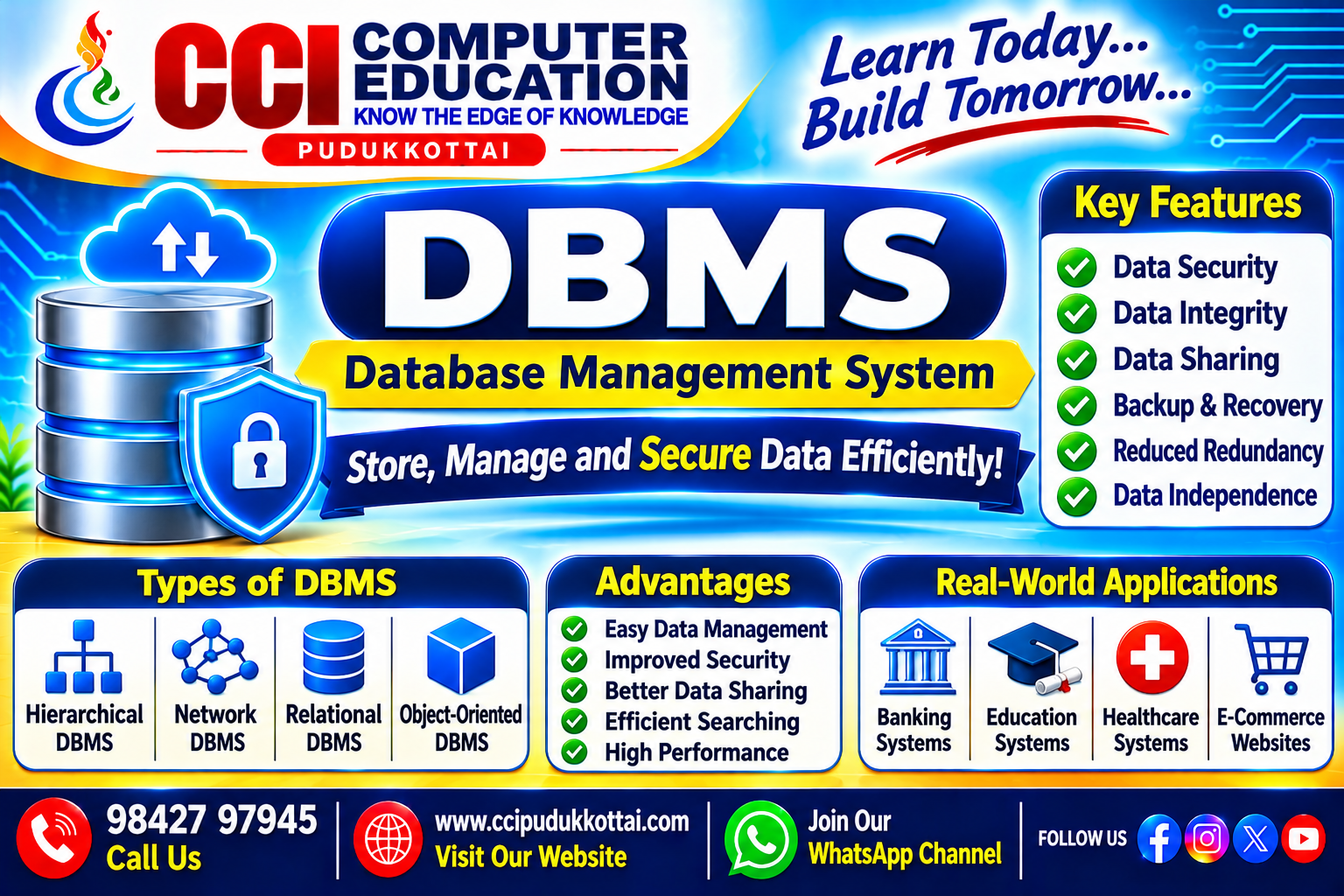
2. What are the Main Features of DBMS?
A DBMS provides several important features to manage data efficiently.
1. Data Storage and Management
DBMS stores large amounts of information in an organized manner and makes it easier to manage records.
2. Data Security
It provides access control and permissions to protect information from unauthorized users.
3. Data Integrity
It helps maintain accurate and consistent data using constraints and validation rules.
4. Data Backup and Recovery
DBMS provides backup and recovery mechanisms to help restore data after failures.
5. Data Sharing
Multiple authorized users can access and work with the database.
6. Reduced Data Redundancy
Proper database design helps reduce unnecessary duplication of information.
7. Data Independence
It allows certain changes in database storage structures without requiring major changes to application programs.
3. Types of DBMS
DBMS can be classified into different types based on how data is organized and stored.
| Type | Description |
|---|---|
| Hierarchical DBMS | Organizes data in a tree-like structure. |
| Network DBMS | Organizes data using interconnected records. |
| Relational DBMS | Stores data in tables consisting of rows and columns. |
| Object-Oriented DBMS | Stores data using object-oriented concepts. |
4. Popular DBMS Software
Some commonly used database management systems include:
- MySQL: A popular relational database management system used in web applications.
- Oracle Database: An enterprise database system used for managing business data.
- Microsoft SQL Server: A relational database system developed by Microsoft.
- PostgreSQL: An open-source relational database system.
- MongoDB: A document-oriented NoSQL database.
- SQLite: A lightweight database commonly used in mobile and desktop applications.
5. Advantages of DBMS
Using a DBMS provides several benefits for organizations and developers.
- Easy Data Management: Stores and organizes information efficiently.
- Improved Security: Controls who can access or modify data.
- Better Data Sharing: Supports access by multiple authorized users.
- Data Consistency: Helps maintain accurate and reliable information.
- Backup and Recovery: Supports recovery after unexpected failures.
- Reduced Duplication: Helps minimize repeated data through proper database design.
- Efficient Searching: Allows users to retrieve information using queries.
6. Real-World Applications of DBMS
DBMS is used in almost every industry that needs to store and manage information.
1. Banking Systems
Banks use DBMS to maintain customer accounts, transaction records, deposits, and withdrawals.
2. Educational Institutions
Schools and colleges use databases to manage student details, attendance, examination marks, and course information.
3. Hospitals
Hospitals use DBMS to manage patient records, appointments, medical information, and billing details.
4. E-Commerce Websites
Online shopping platforms use databases to store product details, customer information, orders, and payments.
5. Railway and Airline Reservations
Reservation systems use databases to manage passenger details, ticket bookings, seat availability, and schedules.
6. Business Management
Companies use DBMS to maintain employee records, salaries, customer information, and business transactions.
7. What is the Difference Between DBMS and RDBMS?
DBMS is a general term for database management software, while RDBMS is a type of DBMS that organizes data using related tables.
| DBMS | RDBMS |
|---|---|
| General database management system. | Relational database management system. |
| May use different data models. | Uses tables with rows and columns. |
| Relationships depend on the database model. | Supports relationships between tables. |
| Examples include hierarchical and object-oriented systems. | Examples include MySQL, PostgreSQL and Oracle Database. |
8. Simple DBMS Example Using SQL
Let's create a simple student database using SQL.
Step 1: Create a Database
CREATE DATABASE CollegeDB;
Step 2: Select the Database
USE CollegeDB;
Step 3: Create a Student Table
CREATE TABLE Students (
    StudentID INT PRIMARY KEY,
    StudentName VARCHAR(100),
    Department VARCHAR(50),
    Age INT
);
Step 4: Insert Student Records
INSERT INTO Students
VALUES
(1, 'Arun', 'Computer Science', 20),
(2, 'Priya', 'Information Technology', 21),
(3, 'Kumar', 'Computer Science', 19);
Step 5: Display Student Records
SELECT * FROM Students;
Expected Output:
| StudentID | StudentName | Department | Age |
|---|---|---|---|
| 1 | Arun | Computer Science | 20 |
| 2 | Priya | Information Technology | 21 |
| 3 | Kumar | Computer Science | 19 |
This example demonstrates how a DBMS helps store and retrieve student information using SQL commands.
9. Frequently Asked Questions (FAQ)
1. What is DBMS in simple words?
DBMS is software that helps users store, organize, retrieve, update, and manage data in a database.
2. What is the full form of DBMS?
DBMS stands for Database Management System.
3. What are the main features of DBMS?
The main features include data security, data integrity, backup and recovery, data sharing, reduced redundancy, and data independence.
4. What are the different types of DBMS?
The main types are hierarchical DBMS, network DBMS, relational DBMS, and object-oriented DBMS.
5. What is the difference between DBMS and RDBMS?
DBMS is a general database management system, whereas RDBMS organizes data into related tables using rows and columns.
6. Which DBMS is commonly used in web development?
MySQL and PostgreSQL are commonly used in web development. MongoDB is also popular for applications that use document-based databases.
7. Why is DBMS important for students?
DBMS helps students understand how data is stored, managed, retrieved, and used in real-world software applications.
10. Practical Activities for Students
Try these beginner-friendly database exercises:
- Install MySQL on your computer.
- Create a database named StudentDB.
- Create a Students table with suitable columns.
- Insert at least five student records.
- Display all records using SELECT.
- Update a student's department using UPDATE.
- Delete a record using DELETE.
- Build a simple Student Management System using MySQL.
Conclusion
DBMS plays an important role in modern software applications. It helps organizations store, organize, secure, and retrieve large amounts of information efficiently.
From banking and education to healthcare and e-commerce, DBMS is an essential technology in today's digital world.
By learning DBMS concepts and practising SQL commands, students can build a strong foundation for database development and software engineering careers.
Learn databases today, organize information smartly, and build your IT career tomorrow!
Related CCI Blogs
Learn Database Management with CCI Computer Education
Want to learn database concepts and practical SQL programming? CCI Computer Education – Pudukkottai helps students develop computer programming and database management skills through practical learning.
Learn DBMS, MySQL, SQL queries, database design, and real-world project development.
Explore CCI Computer Education Courses
Contact CCI Computer Education – Pudukkottai
Interested in learning DBMS and SQL? Contact CCI Computer Education for course details and upcoming batches.
Call: 98427 97945 | Website: www.ccipudukkottai.com
WhatsApp Channel: Join CCI WhatsApp Channel
CCI Computer Education – Learn Today, Build Tomorrow.