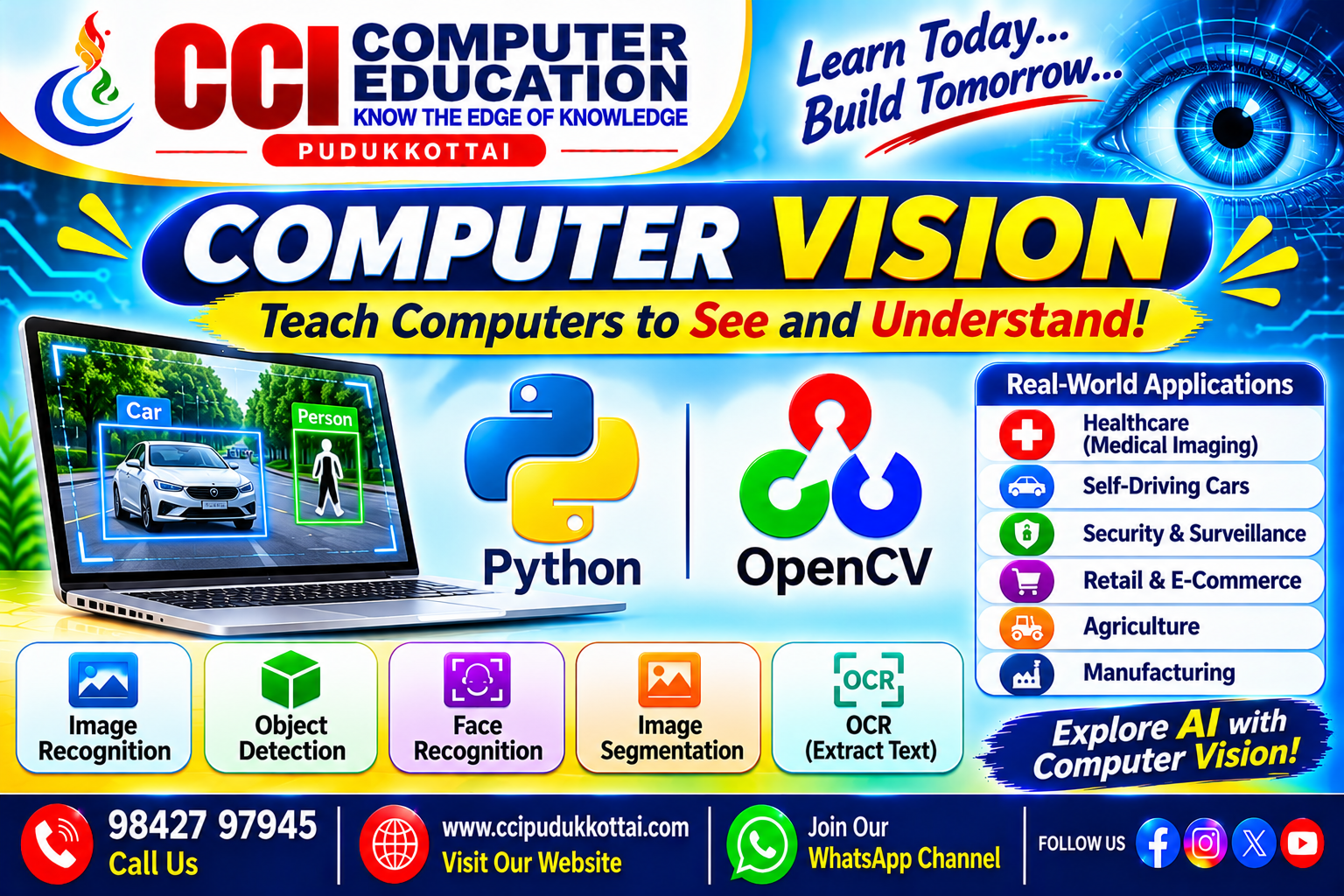
Computer Vision Explained with Real Examples – How AI Understands Images and Videos
Published: 20 November 2026 | Author: CCI Admin | Category: AI / Artificial Intelligence
Have you ever wondered how your smartphone recognizes your face, how self-driving cars identify traffic signals, or how AI detects objects in photographs?
These technologies use an exciting branch of Artificial Intelligence called Computer Vision.
Computer Vision helps computers understand and interpret visual information such as images and videos. It allows machines to identify objects, recognize faces, detect movements, and make decisions based on visual data.
In this blog, we will explore what Computer Vision is, how it works, its types, real-world applications, and a simple Python example.
1. What is Computer Vision?
Computer Vision is a field of Artificial Intelligence (AI) that enables computers to analyze and understand images and videos.
Just as humans use their eyes and brains to recognize objects, Computer Vision systems use cameras, image processing techniques, and AI models to understand visual information.
Simple Example:
When you upload a photograph of a dog, a Computer Vision system can analyze the image and identify that the object is a dog.
Computer Vision is widely used in smartphones, healthcare, security systems, robotics, and autonomous vehicles.
2. How Does Computer Vision Work?
Computer Vision uses image processing and Machine Learning techniques to analyze visual data.
Basic Working Process:
- Image Collection: Collect images or videos using cameras or other sources.
- Image Processing: Prepare the images by resizing, filtering, or adjusting them.
- Feature Extraction: Identify useful visual patterns such as edges, shapes, and textures.
- AI Model Training: Train a Machine Learning or Deep Learning model using image data.
- Prediction: Analyze new images and identify objects or patterns.
- Output: Display the result or perform an appropriate action.
Example: A traffic monitoring system captures a road image, identifies vehicles, and detects traffic conditions.
3. Important Technologies Used in Computer Vision
Computer Vision combines several technologies to understand visual information.
| Technology | Purpose |
|---|---|
| Artificial Intelligence | Enables machines to perform intelligent tasks. |
| Machine Learning | Learns patterns from image data. |
| Deep Learning | Learns complex visual features using neural networks. |
| Image Processing | Improves and prepares images for analysis. |
| Neural Networks | Identify patterns and recognize objects. |
4. Common Computer Vision Tasks
Computer Vision performs different types of visual recognition tasks.
1. Image Classification
Image classification identifies the main category of an image.
Example: Identifying whether an image contains a cat, dog, car, or tree.
2. Object Detection
Object detection identifies objects and locates them within an image using bounding boxes.
Example: Detecting cars, bicycles, and pedestrians on a road.
3. Face Recognition
Face recognition analyzes facial features to identify or verify a person.
Example: Face-based smartphone authentication.
4. Image Segmentation
Image segmentation divides an image into meaningful regions or identifies individual objects at the pixel level.
Example: Separating a person from the background in an image.
5. Optical Character Recognition (OCR)
OCR extracts readable text from images and scanned documents.
Example: Converting a photograph of a printed document into editable text.
5. Real-World Applications of Computer Vision
1. Healthcare
Computer Vision helps medical professionals analyze medical images such as X-rays, CT scans, and MRI scans. AI systems can assist in identifying suspicious patterns that require further examination.
2. Self-Driving Cars
Autonomous vehicles use cameras and Computer Vision systems to detect roads, traffic signs, pedestrians, and other vehicles.
3. Face Recognition
Smartphones and security systems use facial recognition technologies for identity verification and access control.
4. Retail and Shopping
Retail businesses use Computer Vision for product identification, inventory monitoring, and checkout automation.
5. Agriculture
Computer Vision can help farmers monitor crop conditions, identify plant diseases, and detect weeds using images captured by cameras and drones.
6. Manufacturing
Factories use Computer Vision systems to inspect products, identify defects, and improve quality control.
6. Popular Computer Vision Tools and Libraries
| Tool / Library | Usage |
|---|---|
| OpenCV | Image processing and video analysis. |
| TensorFlow | Building and training Deep Learning models. |
| PyTorch | Developing and training neural networks. |
| YOLO | Real-time object detection. |
| Pillow | Opening and manipulating images in Python. |
7. Simple Computer Vision Example Using Python
Python is one of the most popular programming languages for Computer Vision. We can use the OpenCV library to read and process images.
Step 1: Install OpenCV
Open your terminal or command prompt and execute:
pip install opencv-python
Step 2: Write a Python Program
import cv2 # Read an image image = cv2.imread("sample.jpg") # Check whether image is loaded if image is None: print("Image not found!") else: # Convert image into grayscale gray_image = cv2.cvtColor( image, cv2.COLOR_BGR2GRAY ) # Display the images cv2.imshow("Original Image", image) cv2.imshow("Grayscale Image", gray_image) cv2.waitKey(0) cv2.destroyAllWindows()
Step 3: Understand the Program
- cv2.imread(): Reads an image file.
- cv2.cvtColor(): Converts the image into another color format.
- cv2.COLOR_BGR2GRAY: Converts a color image into grayscale.
- cv2.imshow(): Displays an image in a window.
- cv2.waitKey(): Waits for a keyboard action.
- cv2.destroyAllWindows(): Closes OpenCV windows.
Expected Result: The program displays the original image and its grayscale version in separate windows.
Note: Keep the sample.jpg image in the same folder as your Python program.
8. Difference Between Computer Vision and Image Processing
| Image Processing | Computer Vision |
|---|---|
| Focuses on modifying and improving images. | Focuses on understanding visual information. |
| Includes resizing, filtering, and enhancement. | Includes object detection and image recognition. |
| May not require AI models. | Often uses AI and Machine Learning. |
| Example: Removing noise from an image. | Example: Identifying a person in an image. |
9. Advantages of Computer Vision
- Automates visual inspection and analysis.
- Processes large numbers of images quickly.
- Supports improved quality control.
- Helps detect objects and patterns.
- Improves automation in different industries.
- Supports real-time monitoring applications.
10. Challenges of Computer Vision
- Lighting Conditions: Poor lighting can affect image recognition.
- Image Quality: Blurry or low-resolution images can reduce accuracy.
- Data Requirements: Training accurate AI models may require large and diverse datasets.
- Privacy: Facial recognition and surveillance systems require responsible data handling.
- Computing Power: Complex Deep Learning models may require powerful hardware.
11. Career Opportunities in Computer Vision
Computer Vision is an important area of AI development. Students who learn Python, Machine Learning, and Deep Learning can explore several career opportunities.
- Computer Vision Engineer
- Machine Learning Engineer
- AI Engineer
- Deep Learning Engineer
- Python Developer
- AI Research Assistant
12. Frequently Asked Questions (FAQ)
1. What is Computer Vision in Artificial Intelligence?
Computer Vision is a branch of AI that enables computers to analyze and understand images and videos.
2. How does Computer Vision work?
It collects visual data, processes images, extracts features, and uses algorithms or trained AI models to recognize objects and patterns.
3. Is Python used in Computer Vision?
Yes. Python is widely used for Computer Vision because it provides libraries such as OpenCV, TensorFlow, PyTorch, and Pillow.
4. What is OpenCV?
OpenCV is an open-source computer vision library used for image processing, video analysis, and visual recognition applications.
5. What is the difference between Image Classification and Object Detection?
Image Classification identifies the category of an image, whereas Object Detection identifies individual objects and their locations within an image.
6. Where is Computer Vision used?
Computer Vision is used in healthcare, agriculture, manufacturing, security systems, autonomous vehicles, and retail applications.
7. What should students learn to start Computer Vision?
Students should begin with Python programming, basic mathematics, image processing, Machine Learning, and OpenCV.
13. Practical Activities for Students
Try these beginner-friendly Computer Vision activities:
- Write a Python program to display an image using OpenCV.
- Convert a color image into grayscale.
- Resize an image using Python.
- Apply blur and edge detection to an image.
- Create a simple object detection demonstration.
- Build a mini project to identify different objects in images.
Conclusion
Computer Vision is transforming the way computers interact with the visual world. From face recognition and medical imaging to self-driving cars and smart agriculture, it plays an important role in modern Artificial Intelligence applications.
By learning Python, OpenCV, Machine Learning, and Deep Learning, students can start building exciting Computer Vision projects and develop valuable AI skills.
Start learning AI today, explore Computer Vision, and build a smarter tomorrow!
Related CCI Blogs
Learn AI and Python with CCI Computer Education
Want to explore Artificial Intelligence, Machine Learning, and Python programming? CCI Computer Education – Pudukkottai helps students develop practical computer skills through programming concepts and project-based learning.
Learn Python, AI fundamentals, Machine Learning, Computer Vision, and real-world project development.
Explore CCI Computer Education Courses
Contact CCI Computer Education – Pudukkottai
Interested in learning AI and Python programming? Contact CCI Computer Education for course details and upcoming batches.
Call: 98427 97945 | Website: www.ccipudukkottai.com
WhatsApp Channel: Join CCI WhatsApp Channel
CCI Computer Education – Learn Today, Build Tomorrow.
Recent Posts

What is a DBMS? Complete Guide to Features, Types, Advantages and Real-World Uses
23 Nov, 2026
What Is Multithreading in Java? Complete Guide with Thread Creation, Lifecycle and Examples
21 Nov, 2026