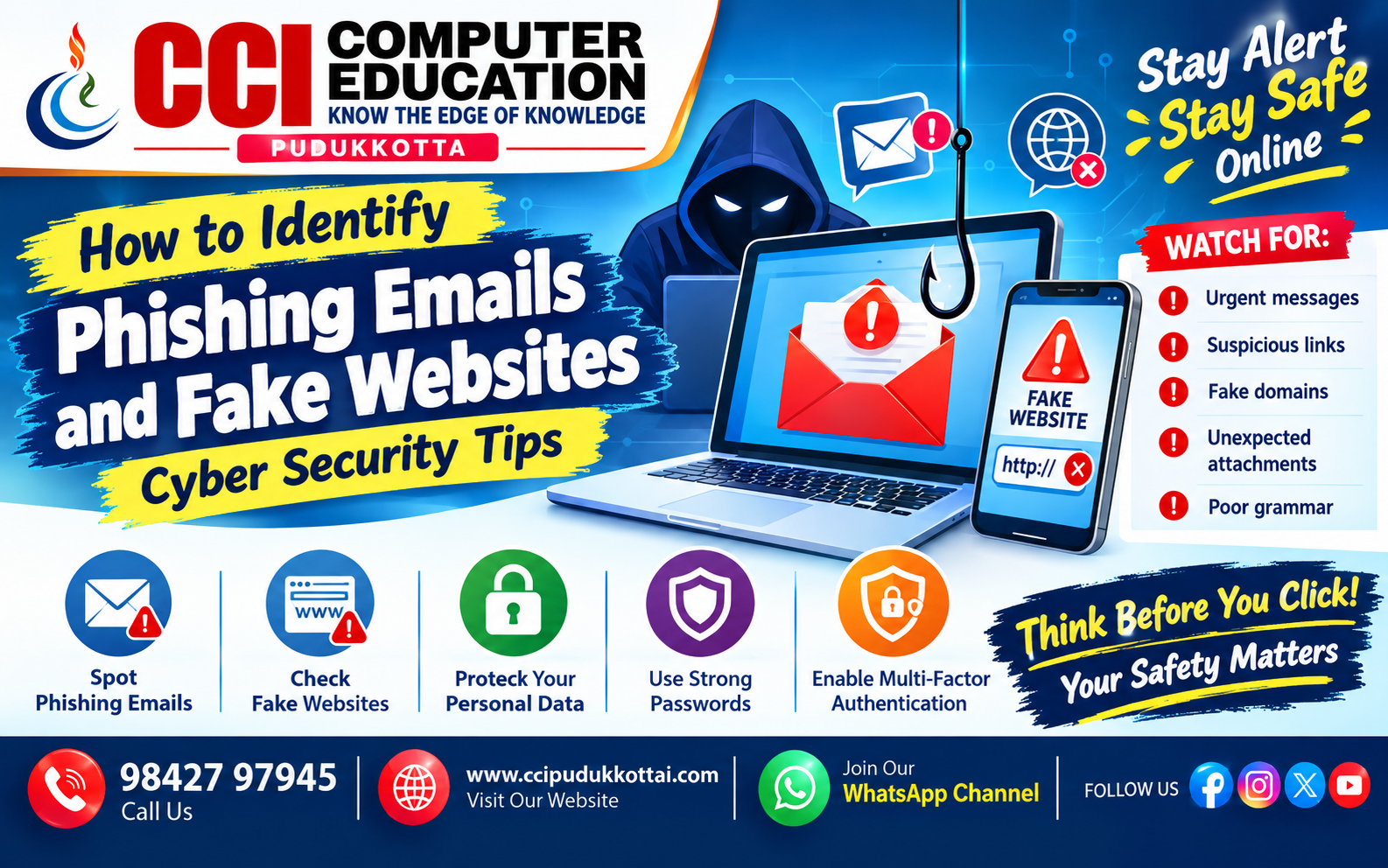
How to Identify Phishing Emails and Fake Websites – Cyber Security Tips
Published: 20 Oct, 2026 | Author: CCI Admin | Category: Cyber Security / Online Safety
The internet helps us communicate, learn, shop, and manage our finances. However, cybercriminals may use fake emails and websites to steal passwords, banking details, and personal information. These scams are commonly known as phishing attacks.
In this blog, CCI Computer Education, Pudukkottai, explains how to identify phishing emails and fake websites and how to stay safe online.
1. What Is Phishing?
Phishing is a cyberattack in which criminals pretend to be a trusted person, company, bank, or organisation to trick users into revealing confidential information or opening harmful links and attachments.
Common phishing methods include:
- Email phishing: Fake emails designed to steal information.
- Smishing: Fraudulent SMS or text messages.
- Vishing: Scam phone calls intended to obtain sensitive information.
- Fake websites: Websites that imitate legitimate login pages or online services.
2. How to Identify Phishing Emails
A phishing email may look professional and appear to come from a trusted organisation. Before responding, check for these warning signs.
A. Urgent or Threatening Messages
Scammers may claim that your account will be blocked, your payment has failed, or you must act immediately to receive a reward. They want you to react without checking the message.
Example:
Subject: Urgent! Your Account Will Be Blocked

Your account needs immediate verification.
Click the link below to avoid suspension.
Safety tip: Do not click the link immediately. Open the official app or contact the organisation through a trusted channel to verify the claim.
B. Check the Sender's Email Address
Look carefully at the complete email address, not just the display name. A scammer may use an address that resembles the address of a genuine company.
Be cautious of unexpected messages from unfamiliar addresses or addresses containing misspellings and unusual domains.
C. Look for Suspicious Links
A link may display the name of a genuine service while directing you to a different website. On a computer, hover over the link without clicking to inspect its destination. On a phone, avoid opening suspicious links just to check them.
If the address is unfamiliar or does not match the official website, do not proceed. Navigate to the organisation's website using a known address or its official app.
D. Watch for Unexpected Attachments
Unexpected attachments may contain malicious files or lead to harmful downloads. Do not open files simply because an email claims they contain an invoice, delivery notice, or important document.
E. Check the Message Content
Poor spelling, generic greetings, unusual requests, and suspicious attachments can be warning signs. However, modern phishing messages can be well written, so good grammar does not prove that an email is genuine.
3. How to Identify Fake Websites
Fake websites may copy the appearance of banks, shopping platforms, social media services, or government portals. Check these details before entering personal information.
A. Examine the Website Address
Read the domain name carefully. Scammers may use extra words, misspellings, or look-alike characters to imitate a genuine website.
Illustrative example:
Expected domain: example.com
Suspicious look-alike: example-login-security.com
These example addresses are for learning purposes only. A different domain is not automatically fraudulent, but an unexpected or misleading address deserves careful verification.
B. Understand HTTPS
HTTPS encrypts information sent between your browser and a website. However, a fake website can also use HTTPS. The padlock or HTTPS indicator alone does not prove that a website is trustworthy.
C. Check the Website's Content
Look for inconsistent branding, broken pages, unusual pop-ups, misleading contact information, and unexpected requests for passwords, payment details, or one-time passwords (OTPs). These signs can help you recognise a suspicious website.
D. Be Careful with Unexpected Login Requests
If an email asks you to sign in to view an unexpected document, invitation, refund, or prize, verify the request independently. Do not enter your email password or verification code on an unfamiliar page.
4. Phishing Email vs Fake Website
| Feature | Phishing Email | Fake Website |
|---|---|---|
| Main method | Uses deceptive messages | Imitates a genuine website |
| Common warning | Urgent requests or suspicious senders | Misleading domain or unexpected login page |
| Possible risk | Theft of information or harmful downloads | Stolen passwords or payment information |
| Safe action | Verify independently and report the message | Leave the page and use the official website |
5. Practical Example: Recognising a Fake Bank Message
Imagine receiving a message that says your bank account will be blocked unless you confirm your details through a link.
Message:
"Your account will be suspended today.
Click here to verify your password and OTP."
What should you do?
- Do not click the link.
- Do not share your password, PIN, or OTP.
- Open your bank's official app or website independently.
- Contact the bank using its verified customer support details.
- Report and delete the suspicious message.
6. Best Practices to Stay Safe Online
- Check the sender's full email address and website domain.
- Avoid clicking unexpected links or opening unknown attachments.
- Never share passwords, banking PINs, or OTPs with others.
- Use strong, unique passwords for different accounts.
- Enable multi-factor authentication wherever available.
- Keep your browser, operating system, and security software updated.
- Use official apps or trusted bookmarks to access important accounts.
- Report suspicious emails, messages, and websites through the appropriate service.
7. What to Do If You Clicked a Phishing Link
If you clicked a suspicious link, do not panic. Take action based on what happened.
- If you only opened the link, close the page and do not download files or enter information.
- If you entered a password, change it immediately using the genuine website or app. Change it anywhere else you reused it.
- If you shared banking information or an OTP, contact your bank immediately using its official number.
- If you downloaded or ran a suspicious file, run a security scan and seek trusted technical help.
- Review account activity, sign out of unfamiliar sessions, and enable multi-factor authentication.
In India, suspected cyber financial fraud can be reported promptly through the national cybercrime helpline 1930 and the official portal cybercrime.gov.in .
8. Faculty Tip from CCI
Students can improve their cyber security awareness by learning to inspect email senders, recognise suspicious domains, and verify online requests. Use safe, fictional examples in classroom exercises. Never ask students to open real suspicious links or enter genuine personal information during demonstrations.
9. Practice Tasks for Students
- List five warning signs of a phishing email.
- Explain why HTTPS alone cannot prove that a website is genuine.
- Write five steps to follow after receiving a suspicious bank message.
- Explain the difference between phishing, smishing, and vishing.
- Prepare a cyber safety checklist for family members.
10. Frequently Asked Questions (FAQs)
What is a phishing email?
A phishing email is a deceptive message designed to trick a recipient into sharing sensitive information, opening harmful attachments, or visiting a fraudulent website.
How can I identify a fake website?
Examine the domain carefully, verify the website through a trusted source, and be cautious of unexpected requests for passwords, payment information, or verification codes.
Does HTTPS mean a website is safe?
No. HTTPS encrypts the connection, but fraudulent websites can also use HTTPS. Always verify the domain and the organisation behind it.
Should I reply to a suspicious email?
No. Avoid replying, clicking links, or opening attachments. Verify the sender through a separate trusted channel and report the message when appropriate.
What should I do if I shared my password?
Change the password immediately through the genuine website or app. If you reused it elsewhere, change those passwords too. Review account activity and enable multi-factor authentication.
Conclusion
Identifying phishing emails and fake websites is an important part of cyber security. Always pause before clicking, check the sender and website address, and verify unexpected requests independently. A few careful steps can help protect your accounts and personal information.
CCI Computer Education, Pudukkottai, encourages students and internet users to develop safe digital habits and stay informed about online threats.
What to Learn Next?
- Strong Passwords and Multi-Factor Authentication
- How to Stay Safe from Online Scams
- Cyber Security Basics for Beginners
Related CCI Blogs
- Cyber Security Tips to Stay Safe Online
- Strong Passwords and Multi-Factor Authentication
- Useful AI Tools for Students
Learn with CCI Computer Education – Pudukkottai
Want to improve your computer skills and understand digital safety? CCI Computer Education offers learning opportunities in programming, computer applications, and other technology-related subjects. Explore Your Skill 👆Click here
Call: 98427 97945
Website: www.ccipudukkottai.com
WhatsApp Channel: Follow CCI Computer Education
CCI Computer Education – Learn Today, Build Tomorrow.