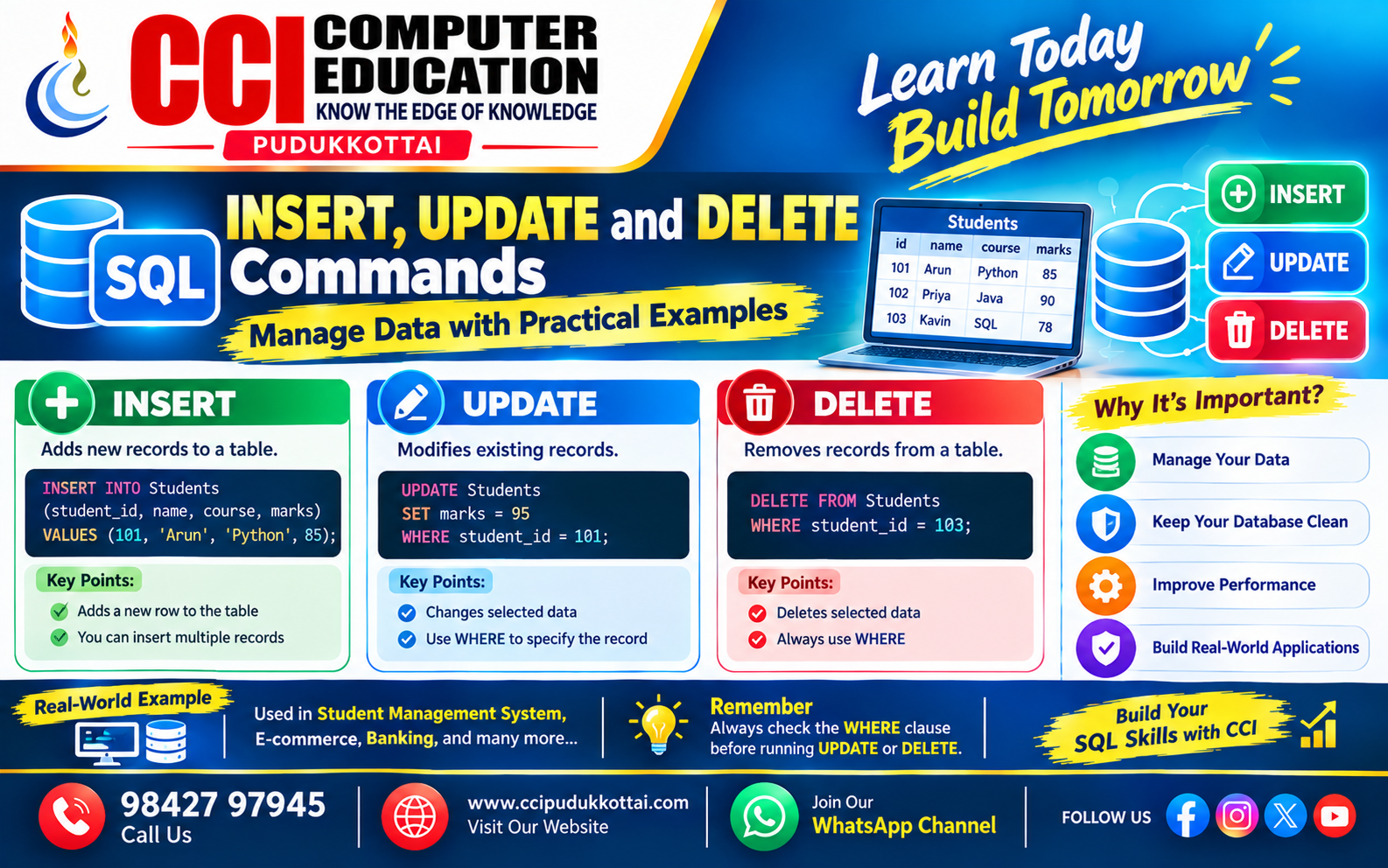
SQL INSERT, UPDATE and DELETE Commands – Manage Data with Practical Examples
Published: 09 Oct, 2026 | Author: CCI Admin | Category: SQL / Database
SQL (Structured Query Language) is used to store, retrieve, and manage data in relational databases. Three important SQL commands are INSERT, UPDATE, and DELETE.
These commands help developers add new records, modify existing information, and remove records that are no longer needed.
What Are INSERT, UPDATE and DELETE Commands?
INSERT, UPDATE, and DELETE are Data Manipulation Language (DML) commands. They are used to manage the records stored in database tables.
- INSERT – Adds new records to a table.
- UPDATE – Modifies existing records.
- DELETE – Removes records from a table.
Sample Student Table
For our examples, imagine a database containing a table named Students.
CREATE TABLE Students (
    student_id INT PRIMARY KEY,
    name VARCHAR(50),
    course VARCHAR(50),
    marks INT
);
This table stores each student's ID, name, course, and marks.
1. SQL INSERT Command
The INSERT command adds new records to a database table. You can insert values into all columns or specify selected columns.
Syntax
INSERT INTO table_name (column1, column2, column3)
VALUES (value1, value2, value3);
Example: Insert a Student Record
INSERT INTO Students (student_id, name, course, marks)
VALUES (101, 'Arun', 'Python', 85);
This query adds a new student named Arun to the Students table.
Insert Multiple Records
INSERT INTO Students (student_id, name, course, marks)
VALUES
(102, 'Priya', 'Java', 90),
(103, 'Kavin', 'SQL', 78),
(104, 'Meena', 'Python', 88);
Multiple records can be inserted in a single statement in MySQL.
2. SQL UPDATE Command
The UPDATE command modifies existing records in a table. The WHERE clause identifies which records should change.
Syntax
UPDATE table_name
SET column_name = new_value
WHERE condition;
Example: Update Student Marks
UPDATE Students
SET marks = 95
WHERE student_id = 101;
This query changes Arun's marks to 95, provided that student_id 101 identifies Arun's record.
Update Multiple Columns
UPDATE Students
SET course = 'Java',
    marks = 92
WHERE student_id = 102;
This query updates both the course and marks for the student whose ID is 102.
Important: Use WHERE with UPDATE
Be careful when using UPDATE without a WHERE clause.
UPDATE Students
SET marks = 50;
Warning: This query changes the marks of every record in the Students table to 50. Always check your condition before running an UPDATE query.
3. SQL DELETE Command
The DELETE command removes selected records from a table. Use the WHERE clause to identify the records you want to remove.
Syntax
DELETE FROM table_name
WHERE condition;
Example: Delete a Student Record
DELETE FROM Students
WHERE student_id = 103;
This query removes the student record with ID 103 from the Students table.
Important: Use WHERE with DELETE
Consider the following query:
DELETE FROM Students;
Warning: This removes all records from the Students table, but the table itself remains. Always verify the target records before running a DELETE query.
INSERT vs UPDATE vs DELETE
| Command | Purpose | Example |
|---|---|---|
| INSERT | Adds records | Add a new student |
| UPDATE | Modifies records | Change student marks |
| DELETE | Removes records | Remove a student |
Real-World Example – Student Management System
Imagine that CCI Computer Education maintains a student database. These commands can help manage student information.
-- Add a new student
INSERT INTO Students
(student_id, name, course, marks)
VALUES (105, 'Ravi', 'Java', 82);

-- Update the student's marks
UPDATE Students
SET marks = 90
WHERE student_id = 105;

-- Remove the student's record
DELETE FROM Students
WHERE student_id = 105;
These are three separate operations. The final DELETE removes the record created in the first query if all statements execute successfully.
Best Practices for SQL Data Management
- Use WHERE conditions carefully with UPDATE and DELETE.
- Check the target records with SELECT before changing data.
- Back up important data before major changes.
- Use transactions when appropriate and supported by your database.
- Use correct data types and valid values.
- Never run destructive queries on production data without authorization.
Common Mistakes in SQL
- Forgetting the WHERE clause in UPDATE or DELETE.
- Using a column name that does not exist.
- Missing quotation marks around text values.
- Inserting a duplicate value into a primary key column.
- Not checking the records before making changes.
Faculty Tip
Remember these three commands with a simple rule:
- INSERT = Add
- UPDATE = Change
- DELETE = Remove
Students should practise these commands using a sample database before working with important or real-world data.
Practice Task for Students
Create a table named Products with product_id, product_name, category, and price.
- Insert three product records.
- Update the price of one product.
- Change the category of another product.
- Delete one product using its product_id.
- Use SELECT to verify the results after each operation.
Frequently Asked Questions
1. What is the INSERT command in SQL?
INSERT adds new records to a database table.
2. What is the UPDATE command in SQL?
UPDATE modifies existing records in a table.
3. What is the DELETE command in SQL?
DELETE removes records from a table.
4. Why is WHERE important in UPDATE and DELETE?
WHERE identifies the records that should be changed or removed. Without WHERE, the command can affect every record in the table.
5. Are INSERT, UPDATE, and DELETE DML commands?
Yes. They are commonly classified as Data Manipulation Language (DML) commands because they manipulate table data.
Conclusion
SQL INSERT, UPDATE, and DELETE commands are essential for managing information in relational databases. INSERT adds records, UPDATE changes existing records, and DELETE removes records.
Practising these commands with a sample database helps students build confidence in SQL and prepare for database projects and software development tasks.
What to Learn Next?
- SQL SELECT, WHERE and ORDER BY Commands
- SQL Aggregate Functions
- SQL JOIN Operations
- Primary Key and Foreign Key
- MySQL Database Projects
Related CCI Blogs
- Introduction to MySQL
- Basic SQL Queries
- SQL SELECT, WHERE and ORDER BY Commands
- Primary Key and Foreign Key Explained
Learn More About SQL and Database Management
Want to learn SQL, MySQL, and database management through practical exercises? CCI Computer Education helps students strengthen their programming and database skills through hands-on learning.
Start learning SQL and build your database skills with CCI.👆Click Here
Contact CCI Computer Education – Pudukkottai
Want to learn SQL and database programming?
Call: 98427 97945 | Website: ccipudukkottai.com
WhatsApp Channel: Join CCI WhatsApp Channel
CCI Computer Education – Learn Today, Build Tomorrow.