Python Dictionaries – Key-Value Data Explained with Practical Examples
Published: 05 Oct, 2026 | Author: CCI Admin | Category: Python / Programming
When programs need to store related information using a meaningful label, Python Dictionaries are very useful. A dictionary stores data in key-value pairs, making it easy to organize, access, and update information.
In this blog, we will learn Python dictionaries with simple examples and practical real-world use cases.
What is a Dictionary in Python?
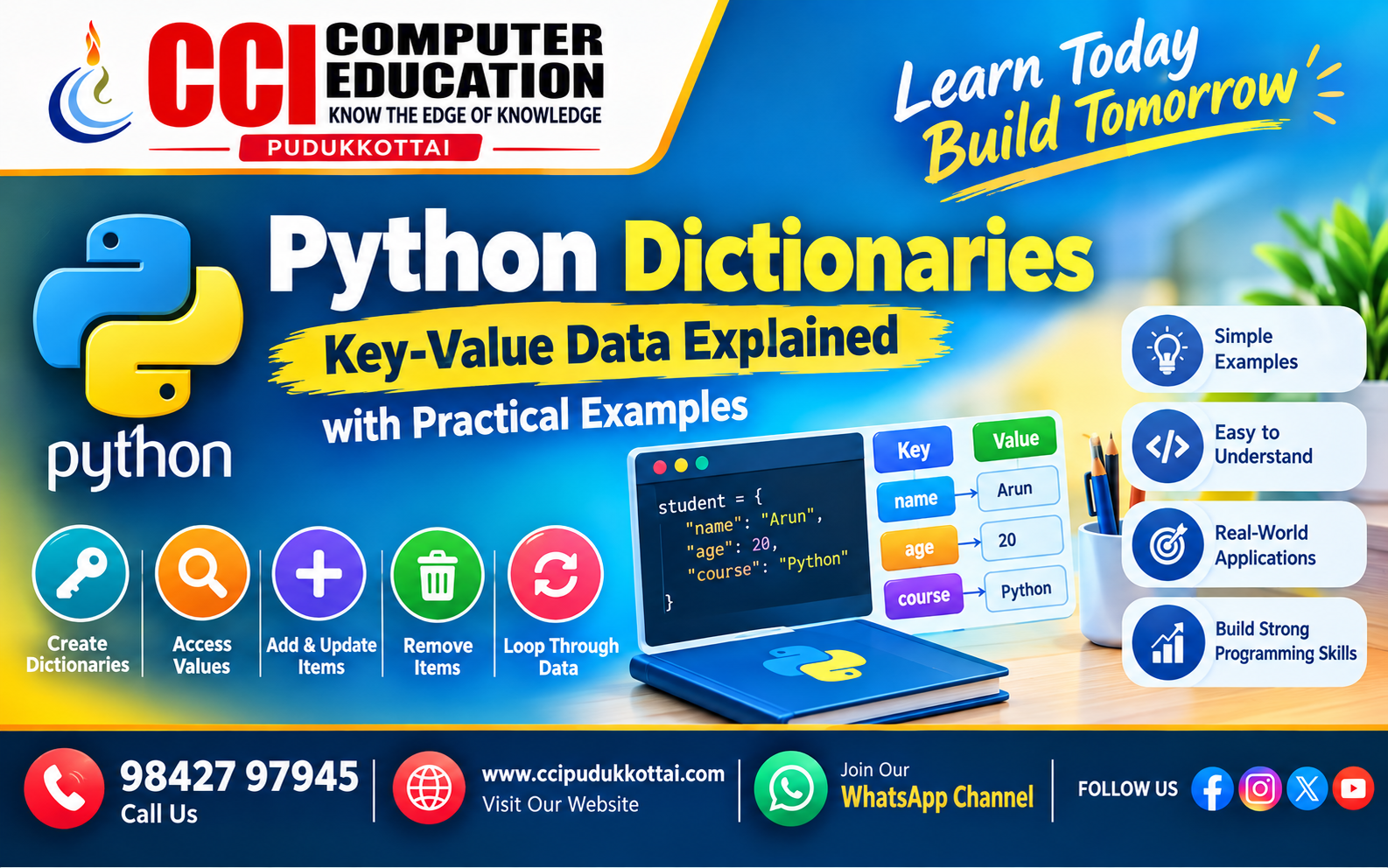
A dictionary is a built-in Python data type that stores data in key-value pairs.
Each key is used to identify and access its corresponding value.
student = {
    "name": "Arun",
    "age": 20,
    "course": "Python"
}

print(student)
Output:
{'name': 'Arun', 'age': 20, 'course': 'Python'}Understanding Key-Value Pairs
In the above example:
- "name" is the key and "Arun" is its value.
- "age" is the key and 20 is its value.
- "course" is the key and "Python" is its value.
How to Create a Python Dictionary
Dictionaries are created using curly braces { }.
employee = {
    "id": 101,
    "name": "Priya",
    "department": "IT"
}

print(employee)
Access Dictionary Values
We can access a value by using its key.
student = {
    "name": "Arun",
    "age": 20,
    "course": "Python"
}

print(student["name"])
print(student["course"])
Output:
Arun
Python
Using the get() Method
The get() method can be used to access a dictionary value. It is useful when a key may not exist.
student = {
    "name": "Arun",
    "age": 20
}

print(student.get("name"))
print(student.get("course"))
If the requested key does not exist, get() returns None unless a default value is provided.
print(student.get("course", "Not Available"))Change a Dictionary Value
Dictionary values can be updated using their keys.
student = {
    "name": "Arun",
    "age": 20
}

student["age"] = 21

print(student)
Output:
{'name': 'Arun', 'age': 21}Add New Items to a Dictionary
We can add a new key-value pair simply by assigning a value to a new key.
student = {
    "name": "Arun",
    "age": 20
}

student["course"] = "Python"

print(student)
Output:
{'name': 'Arun', 'age': 20, 'course': 'Python'}Remove Items from a Dictionary
Python provides several ways to remove dictionary items.
Using pop()
student = {
    "name": "Arun",
    "age": 20,
    "course": "Python"
}

student.pop("age")

print(student)
Using del
student = {
    "name": "Arun",
    "age": 20
}

del student["age"]

print(student)
Using clear()
The clear() method removes all items from a dictionary.
student = {
    "name": "Arun",
    "age": 20
}

student.clear()

print(student)
Output:
{}Dictionary Length
The len() function returns the number of key-value pairs.
student = {
    "name": "Arun",
    "age": 20,
    "course": "Python"
}

print(len(student))
Output:
3Loop Through a Dictionary
Dictionaries can be easily processed using loops.
Loop Through Keys
student = {
    "name": "Arun",
    "age": 20,
    "course": "Python"
}

for key in student:
    print(key)
Loop Through Values
for value in student.values():
    print(value)
Loop Through Keys and Values
for key, value in student.items():
    print(key, ":", value)
Output:
name : Arun
age : 20
course : Python
Important Dictionary Methods
| Method | Purpose |
|---|---|
| get() | Access a value |
| keys() | Return dictionary keys |
| values() | Return dictionary values |
| items() | Return key-value pairs |
| update() | Update or add items |
| pop() | Remove an item using its key |
| clear() | Remove all items |
Practical Example – Student Information
Dictionaries are useful for storing structured information about a student.
student = {
    "name": "Kavin",
    "age": 19,
    "course": "Python",
    "mark": 85
}

print("Name:", student["name"])
print("Course:", student["course"])
print("Mark:", student["mark"])
Output:
Name: Kavin
Course: Python
Mark: 85
Real-World Example – Product Information
product = {
    "name": "Laptop",
    "price": 55000,
    "brand": "Dell",
    "stock": 10
}

print("Product:", product["name"])
print("Price:", product["price"])
print("Stock:", product["stock"])
This type of structure can be useful when working with application data such as products, users, students, employees, and customer records.
Dictionary vs List
| Feature | List | Dictionary |
|---|---|---|
| Data Structure | Collection of values | Key-value pairs |
| Access | Using index | Using key |
| Example | ["Python", "Java"] | {"name": "Arun"} |
Common Mistakes
- Trying to access a dictionary using the wrong key.
- Using duplicate keys when unique keys are required.
- Confusing dictionary keys with list indexes.
- Forgetting quotes around string keys.
- Modifying dictionary data without checking the required key.
Faculty Tip
For students: Try to connect dictionaries with real-world objects. For example, a student, employee, product, or customer can be represented using meaningful keys such as name, age, department, price, or email.
Practice Task
Create a Python dictionary for a student containing:
- Student name
- Age
- Course
- Three subject marks
Then write a Python program to:
- Display the student's name.
- Update the age.
- Add a new key called "city".
- Display all keys and values.
Frequently Asked Questions
1. What is a dictionary in Python?
A dictionary is a Python data type that stores information in key-value pairs.
2. How do I access a dictionary value?
You can use its key, for example:
student["name"]3. Can dictionary values be changed?
Yes. Dictionary values can be updated using their keys.
4. Can I add new items to a dictionary?
Yes. A new key-value pair can be added by assigning a value to a new key.
5. Why are dictionaries useful?
Dictionaries make it convenient to store and retrieve related information using meaningful keys instead of numeric positions.
Conclusion
Python Dictionaries are an important data structure for storing information as key-value pairs. They make it easy to access, update, add, and remove related data.
Once you understand dictionaries, you will be better prepared to work with structured data in Python projects and applications.
What to Learn Next?
- Python Sets
- Python Tuples
- Nested Dictionaries
- List of Dictionaries
- Python JSON Data
Related CCI Blogs
- Python Variables and Data Types – Learn the Basics with Simple Examples
- How a Loan Approval Prediction System Works – A Real-Life Machine Learning Project
- Python Conditional Statements – if, elif and else
Learn More About Python Programming
Interested in learning Python Programming with practical examples and real-time projects?Get More Information About Our Python Course Click here at CCI Computer Education – Pudukkottai.
Contact CCI Computer Education – Pudukkottai
Want to learn Cyber Security, Programming, Web Development, and other computer technologies?
Call: 98427 97945 | Website: ccipudukkottai.com | WhatsApp Channel: Join Now