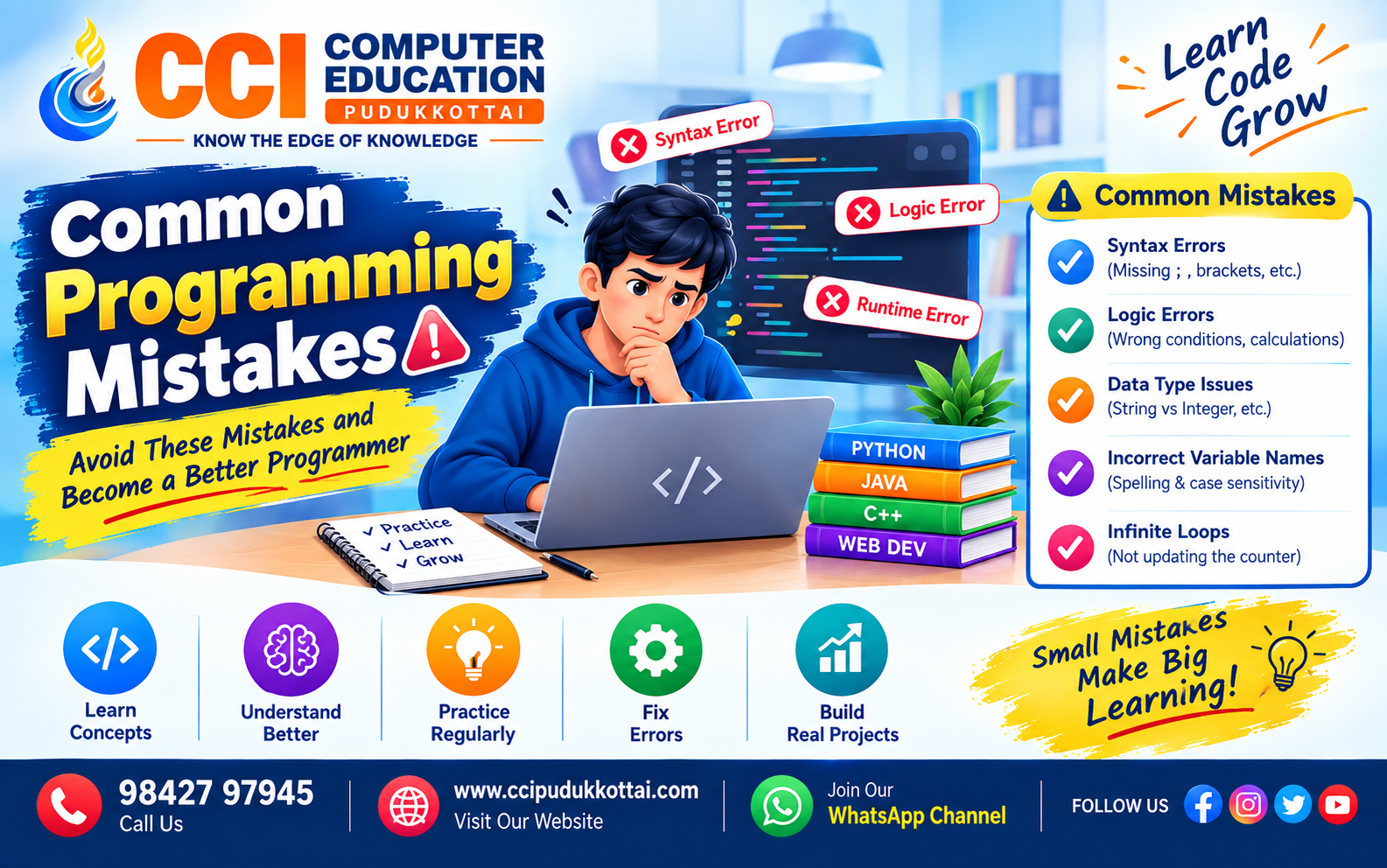
Common Programming Mistakes Beginners Make – How to Avoid Them
Published: 11 Sep, 2026 | Author: CCI Admin | Category: Programming
Learning programming is an exciting journey, but beginners often make small mistakes while writing code. These mistakes are completely normal and are an important part of becoming a better programmer.
In this guide, CCI Computer Education, Pudukkottai explains some of the most common programming mistakes and simple ways to avoid them.
What Are Common Programming Mistakes?
Programming mistakes are errors made while writing, testing, or designing computer programs. Some mistakes cause the program to stop, while others produce incorrect results.
Understanding these mistakes helps students improve their coding skills and write cleaner and more reliable programs.
1. Making Syntax Errors
A syntax error occurs when the programming language rules are not followed. Missing brackets, quotation marks, semicolons, or incorrect keywords are common examples.
print("Hello World"The closing parenthesis is missing. The corrected code is:
print("Hello World")2. Using Incorrect Variable Names
Variables are used to store data. Beginners sometimes use unclear names or accidentally use a different variable name later in the program.
student_name = "Arun"

print(studnet_name)
Here, student_name and studnet_name are different names. This can cause an error.
Always use meaningful and consistent variable names.
3. Forgetting Input Data Types
User input often comes as text. Beginners may try to perform mathematical operations without converting the input into the correct data type.
age = input("Enter your age: ")

print(age + 5)
The correct approach is to convert the input into an integer:
age = int(input("Enter your age: "))

print(age + 5)
4. Incorrect Indentation
Indentation is especially important in Python. Incorrect indentation can cause errors or change the logic of a program.
if age >= 18:
print("Eligible")
Correct version:
if age >= 18:
    print("Eligible")
Good indentation makes your code easier to read and understand.
5. Using the Wrong Condition
Logical conditions control how a program makes decisions. A small mistake in a condition can produce the wrong result.
age = 15

if age >= 18:
    print("Eligible to vote")
else:
    print("Not eligible to vote")
Always test conditions with different input values such as smaller, equal, and larger values.
6. Infinite Loops
A loop becomes infinite when its condition never becomes false. This can cause the program to continue running unnecessarily.
i = 1

while i <= 5:
    print(i)
The value of i is never updated. A better version is:
i = 1

while i <= 5:
    print(i)
    i += 1
7. Copying Code Without Understanding It
Copying code from websites or AI tools without understanding it is another common mistake made by beginners.
At CCI Computer Education, Pudukkottai, students are encouraged to understand every important line of code before using it in their projects.
Before using code, ask:
- What does this line do?
- Why is this function required?
- What input does it expect?
- What output does it produce?
- Can I modify it for another problem?
8. Not Testing the Program Properly
A program should not be tested with only one input. Different types of inputs should be tested to identify possible problems.
For example, if a program accepts age:
- Test with 10
- Test with 18
- Test with 25
- Test with 0
- Test with invalid input
9. Ignoring Error Messages
Error messages provide useful information about what went wrong. Beginners sometimes close the error message without reading it.
Instead, carefully check the error type, file name, line number, and description. This can help you locate the problem much faster.
10. Writing Very Complicated Code
Beginners sometimes try to solve simple problems using complicated logic. Good programming is not about writing the most complicated code. It is about solving the problem clearly and efficiently.
Start with a simple solution and improve it gradually.
Real Problem: Finding the Largest Number
Suppose we need to find the largest number among three numbers. A beginner-friendly solution can use simple conditions:
a = 10
b = 25
c = 15

if a > b and a > c:
    largest = a
elif b > a and b > c:
    largest = b
else:
    largest = c

print("Largest:", largest)
After understanding the basic solution, students can explore shorter and more advanced approaches.
Practical Programming Workflow
A good programmer follows a simple process when solving a problem.
- Understand the problem
- Identify the required input
- Determine the expected output
- Write the logic or algorithm
- Write the code
- Run and test the program
- Read and fix errors
- Improve the code
Real-World Example
Imagine building a Student Management System. The program may contain student names, marks, attendance, courses, and contact details.
Common programming mistakes in such a project could include:
- Using the wrong student ID.
- Saving marks with the wrong data type.
- Incorrect attendance calculations.
- Using incorrect database queries.
- Forgetting to validate user input.
Testing each feature separately can help identify these problems before the complete application is released.
Common Mistakes and Solutions
| Mistake | Better Approach |
|---|---|
| Ignoring error messages | Read the error carefully |
| Using unclear variables | Use meaningful variable names |
| Not testing code | Test with multiple inputs |
| Copying code blindly | Understand the code first |
| Writing complicated logic | Start with a simple solution |
Faculty Tip from CCI Computer Education
Don't be afraid of errors. Every error is an opportunity to understand programming better.
When students face an error, first try to understand the problem yourself. Check the error message, identify the line, test a small part of the code, and then fix it step by step.
At CCI Computer Education, Pudukkottai, regular coding practice and real-world projects can help students develop confidence in problem solving.
Practice Task for Students
Try creating a simple program that accepts five student marks and displays the highest mark.
Challenge:
- Get marks from the user.
- Store the values.
- Find the highest mark.
- Find the lowest mark.
- Display the result.
After completing the program, test it with different values.
Beginner vs Good Programming Practice
| Beginner Habit | Good Practice |
|---|---|
| Writes code immediately | Understands the problem first |
| Ignores errors | Uses errors to debug |
| Tests only one input | Tests multiple scenarios |
| Copies code | Understands and modifies code |
Frequently Asked Questions
1. Are programming mistakes normal for beginners?
Yes. Making mistakes is a normal part of learning programming. The important thing is to understand and learn from each mistake.
2. What is the most common programming mistake?
Syntax errors, incorrect variable names, logical errors, incorrect data types, and poor testing are some of the common mistakes beginners make.
3. How can I improve my coding skills?
Practice coding regularly, solve small problems, understand errors, and build practical projects.
4. Should I use AI tools while learning programming?
AI tools can be useful for learning, debugging, and understanding concepts. However, students should understand and test AI-generated code instead of blindly copying it.
5. How do I debug a program?
Read the error message, identify the problematic line, check the input and output, test smaller parts of the program, and fix the problem step by step.
Why Practical Projects Matter
Learning programming concepts is important, but applying those concepts in projects makes learning more effective.
Students can practice by creating projects such as:
- Student Management System
- Employee Management System
- Library Management System
- Attendance Management System
- Billing System
- Online Registration System
Next Learning Path
Once you understand common programming mistakes, the next step is to learn Debugging, Exception Handling, Data Structures, Object-Oriented Programming, Databases, and Project Development.
A strong learning path can be:
Programming Basics → Problem Solving → Debugging → OOP → Data Structures → Database → Web Development → Real-World Projects
Conclusion
Common programming mistakes are not failures. They are valuable learning opportunities for every programmer.
By understanding syntax errors, logical errors, data types, loops, conditions, testing, and debugging, beginners can gradually become more confident programmers.
The best way to improve is simple: Practice, Make Mistakes, Understand Errors, Fix Them, and Practice Again.
CCI Computer Education, Pudukkottai encourages students to learn programming through practical examples, coding exercises, and real-world projects.
Related CCI Blogs
Learn Programming at CCI Computer Education – Pudukkottai
Want to improve your programming and IT skills? Join CCI Computer Education, Pudukkottai and learn through practical, step-by-step training.
Call: 98427 97945 | Website: ccipudukkottai.com | WhatsApp Channel: Join Now
Share: Facebook | WhatsApp | Twitter